How to add your business to Google Maps when your stores are a network:a guide for chains and franchises
By Enrico Giubertoni
Trusted by
Worldline
Alba Leasing
L'Erbolario
3M
To add your business to Google Maps, open business.google.com/add and select «Add your business to Google», or search for the business on Google Maps and select «Claim this business». Then enter name, address, category and contacts, and verify the profile with the method Google offers: phone, text message, email or video.
The postcard sent by mail, for years the standard route, has left the list of methods in Google’s current guide.
I wrote the first version of this guide in 2012, when Google was starting to show store interiors online. Since then the Google Maps profile has become the entrance door of every store: it is the first place where a customer checks whether the store is open, where it is and what other people think of it.
For a single business the profile is a task you complete once. For a retail chain (selling directly to consumers through stores open to the public) with tens or hundreds of stores, company-owned and franchised (independent entrepreneurs who use the brand and the method of the chain), the profile becomes a question of governance. Who owns it? Who answers reviews? How do opening hours and data stay aligned between headquarters and franchisees? And how do you measure how many people the map really brings into the store?
The guide starts from the basic operations, valid for every profile, and arrives at the management of a network. The Google functions mentioned were verified against the official documentation on 03/10/2026; the creation and verification steps were checked again on 22/10/2026.
Why adding your business to Google Maps matters for a store network
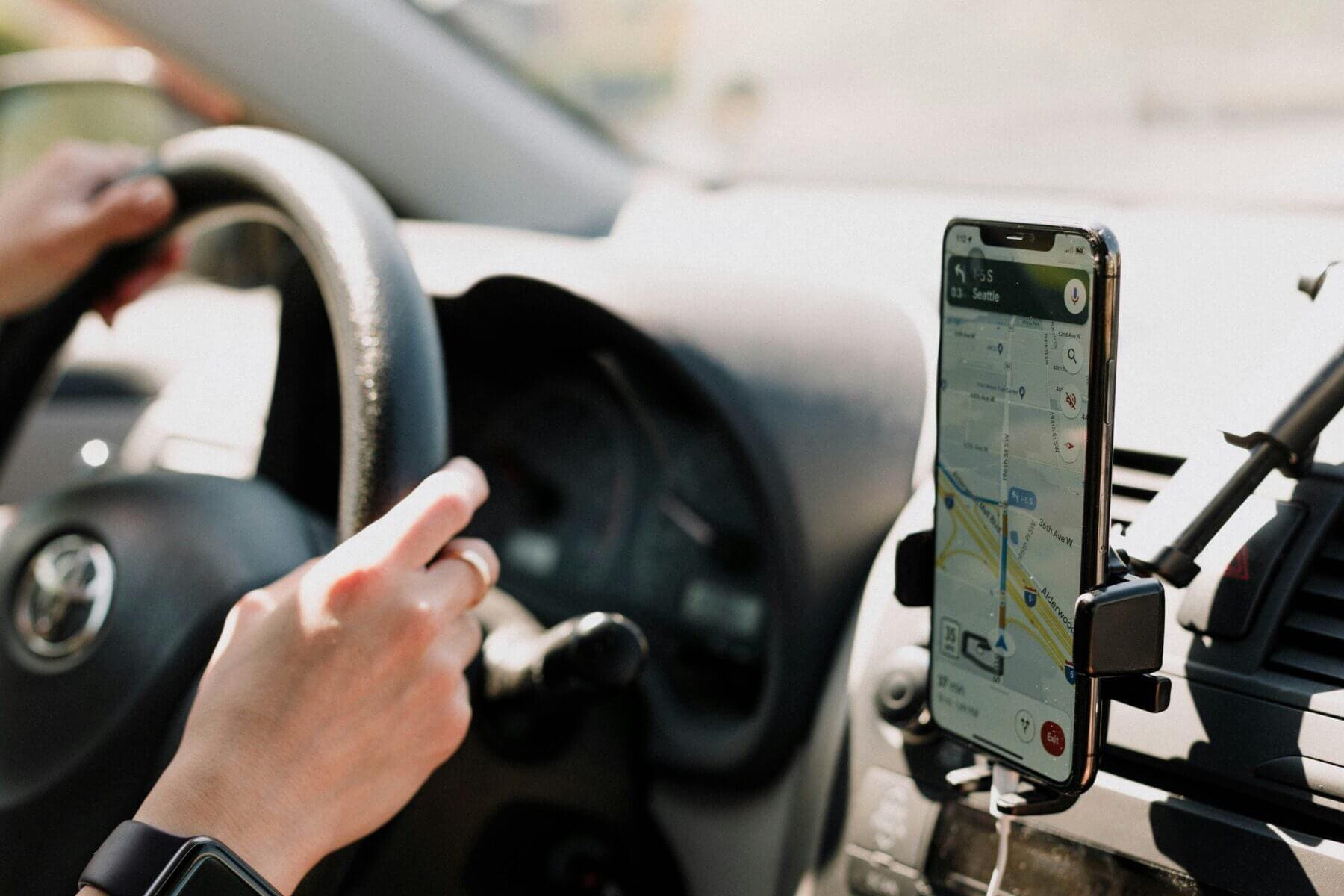
Before entering a store, many customers consult Google Maps as a touchpoint (a point of contact between customer and brand): they confirm opening hours, read reviews, look at photos and request directions. The profile appears prominently in search results, so it is often the first impression the customer receives of the store.
Many searches today end without a click to the website (zero-click searches): the customer finds everything on the profile and decides there. It follows that for a chain the quality of each store profile weighs as much as the shop window. A wrong opening time in a single store is a customer who finds the shutter closed, and a negative review that speaks about the whole brand.
How to add your business to Google Maps
To add a business to Google Maps you use Google Business Profile (the new name of the former Google My Business), the free tool with which Google lets companies manage their presence on Maps and in Search. There are two entry points: the page business.google.com/add, with the option «Add your business to Google», or Google Maps itself, where you search for the business and select «Claim this business» if a profile already exists.
Once inside, the platform asks for the essential information of the store:
the business name;
the address;
the phone number.
This information must stay exact and current, because the visibility of the profile depends on it. For a chain there is one more rule: Google’s guidelines require that all locations of the same business in the same country use the same name, with exceptions for sub-brands and for stores that are really called differently on site.
Selecting the right categories for your business
The category tells Google what the store is, and serves to show it to people searching for exactly what it sells. The guidelines ask you to select the smallest number of categories needed to describe the core business: the category completes the sentence «this business is», while what the store «has» goes into the attributes.
Verifying your business
Verification gives you control of the profile and prevents unauthorised people from editing its data. Google offers several routes (phone or text message, email, live video call, recorded video) and decides itself which ones to offer to each business (verification guide, consulted on 22/10/2026). The postcard, the historical method, no longer appears in that guide. Only a verified profile appears completely on Maps and allows you to answer reviews.
How to add multiple locations to Google Maps for a chain
Up to here the operations are the same for one store or for a hundred. From here on we discuss what changes when the stores are many, and some belong to franchisees.
Bulk verification for ten or more locations
Google offers bulk verification (verification of all locations together) for businesses with at least ten locations of the same brand. According to the official guide, consulted on 03/10/2026, you request it from Business Profile Manager, in the Verifications menu, option Chain: you complete a form with the spreadsheet of all managed profiles, and verification can go through a video with an authorised representative or a video call. Duplicate, suspended or disabled profiles do not count towards the minimum number.
For a network it is better to arrive at the request with a clean list of stores: one address per row, identical name, no duplicates.
Location groups and spreadsheet upload
Location groups work as a shared folder of profiles: they let several colleagues work on the profiles without exchanging credentials. Each group has its own spreadsheet, with which you upload or download the data of all locations in bulk; one spreadsheet serves one group only.
This produces a design choice that headquarters must make before uploading: one group for the whole network, or one group per area or per store type (company-owned and franchised). The practical rule is that the group follows the person accountable for the profiles, because access rights are assigned at group level.
Roles and permissions between headquarters and franchisees
Google Business Profile distinguishes between owner and manager: the manager can edit information, answer reviews, publish updates and upload photos, but only the owner adds or removes users, deletes the profile or transfers primary ownership.
For a franchise network the division that holds is this:
headquarters remains owner of all profiles, because the brand is its own, and a profile lost when a franchisee leaves is a piece of the brand that cannot be recovered;
the franchisee is manager of the profile of their own store, because they know the real opening hours, the closures and the customers;
a person who receives a new role waits seven days before some operations, such as removing other users: worth knowing when a store changes hands.
Common rules for names, categories and opening hours
A network needs a profile rulebook, written by headquarters and shared with franchisees. The minimum entries:
name: the same for all locations, without added keywords or city names;
categories: one primary category for the whole network, a few secondary ones decided by headquarters;
opening hours: who updates them, how far in advance for holidays and closures, and who checks;
photos: which are mandatory (exterior, shop window, interior) and how often they are renewed;
contact data: name, address and phone (the set that local search specialists call NAP, Name Address Phone) identical to those on the chain’s website.
Answering reviews as a brand
Reviews are the part of the profile that headquarters controls least and that weighs most on the reputation of the brand. To answer, the profile must be verified, and answers go through a Google check before they appear, with times that the reviews guide places between ten minutes and thirty days.
For a chain the real question is who answers.
A solution that holds is to divide by type: the franchisee answers reviews about the service of their store, headquarters answers those about products and brand policies, with a common tone written once for everyone.
Measuring calls and direction requests
Each profile records how many times it was viewed and what viewers did. The daily metrics that Google makes available through its performance data service, consulted on 03/10/2026, include among others views on Maps and in Search, direction requests, clicks on the call button, clicks to the website and conversations started in chat.
For a network these measures serve to compare stores with each other, and to read the profile as a sales channel instead of an administrative duty. The next step is to connect them to store data, as I explain in Smart Retail: 7 key principles to empower retail outlets.
Optimise your Google Business Profile (formerly Google My Business)
Optimising the profile makes the store easier to find and improves the experience of those who visit it. These are the fundamental operations, to repeat on every location.
Manage opening hours
Exact and current opening hours are the basis of a positive experience. The customer expects real-time information, and a wrong time leads to frustration and negative reviews.
Google Business Profile lets you set regular hours and special hours for holidays, events or temporary closures. For this reason special hours must be entered in advance, and in a network it is better for headquarters to upload them in bulk for national holidays, leaving local exceptions to the franchisee.
Exact hours also help you appear in searches such as «open now near me». With the «more hours» function you indicate the hours of services such as in-store pickup or delivery. Precise hours show reliability and build trust.
Check the exact position on the map
The pin must indicate the main entrance of the store. A wrong position produces imprecise directions, customers who walk around in circles and problems for couriers.
For stores inside shopping centres or buildings with several businesses, a frequent case for chains, the pin goes on the entrance of that store, and the centre of the building is the wrong place. An exact pin also helps Google estimate peak hours and improves accessibility for people with reduced mobility. Check it again after every renovation or change of entrance.
Take care of your store’s image
Quality images are essential for a good first impression on Google Maps. From Google Business Profile you upload photos and videos, and connect virtual tours.
You need varied photos: the shop window from outside and inside, the staff, the products. They help the customer understand what to expect. In a chain, photos are also brand consistency: headquarters can supply a common set of product images and ask each store for its own exterior and interior photos, renewed with the seasons and the new collections.
Consider virtual tours of the interior
The best-kept stores obtain an advantage from a virtual tour inside Google Maps.
Virtual tours are 360-degree images connected to each other, which let people enter the store from the screen. They are produced with a compatible camera and published with Street View tools (Google page for businesses, consulted on 03/10/2026); there are professional photographers that Google identifies with the «Street View trusted» badge.
A well-made tour offers a preview of the store and increases the trust of those deciding whether to visit.
Add videos next to virtual tours
Next to the virtual tour, short videos of the store make the profile more alive and show what a still photo leaves out: movement, service, atmosphere.
Add products and services
From Google Business Profile you add products and services directly to the profile.
The function improves visibility in local searches and works as a free shop window. Indicate names, categories, prices, descriptions and quality images, with the words the customer really uses when searching.
Keep the information current. For chains with an e-commerce website, the products in the profile can link to the pages of the online store. Showing products on Google Maps simplifies the customer journey and attracts more qualified leads.
Connect WhatsApp to the map
Google Business Profile lets you add a chat button to the profile, with WhatsApp or with messages. According to Google’s guide, consulted on 03/10/2026, the profile must be claimed and verified; you go to Edit profile, then Contact, and under Chat you select WhatsApp and enter the direct chat link or an enabled number. The function is available only in some regions, and if you enter both options the customer sees only messages.
For a network the guide adds a useful detail: several profiles can share the same WhatsApp link. This calls for a decision at headquarters: one central customer service that answers for all stores, or one number per store, managed by the franchisee.
A chat opened from the profile reduces response times and improves engagement. Inside the WhatsApp Business app you set welcome messages and quick replies.
Further optimisation strategies
Beyond the areas above, some other tactics improve the presence of the network on Google Maps. Ask satisfied customers to leave a review, and answer all reviews professionally. Keep name, address and phone consistent on all online platforms.
Use profile posts for updates and promotions, decided by headquarters for national campaigns and by stores for local events. Complete the attributes, such as accessibility and services offered. Finally, embed the store map in the chain’s website, with one page per store.
Conclusion
For a chain, presence on Google Maps is a system, made of tens of profiles that must say the same thing with the same voice. The technical work (categories, verification, hours, position, images, products, chat) is the basis. What distinguishes a well-managed network is governance: who owns the profiles, who updates them, who answers, and how they are measured.
If your network has profiles that nobody knows who manages any more, or franchisees who each work in their own way, the starting point is a common rulebook and a shared measure. This is the kind of work I deliver in advisory for companies with store networks: putting roles and measures in order, so that the map brings customers into the store and a competitive advantage that you can read in the numbers.
Frequently asked questions about Google Maps
How do I add my business to Google Maps?
Go to business.google.com/add and select «Add your business to Google», or open Google Maps, search for your business and select «Claim this business». Sign in with a Google account.
Enter the business name, the address, the category and the contact details.
Google then asks you to verify the business, with a method it selects itself: phone or text message, email, live video call or recorded video.
After verification the profile appears on Google Maps and in Search. For a chain with ten or more locations, bulk verification is the better route, as the article explains.
How much does it cost to appear on Google Maps?
Nothing. A Google Business Profile is free, also for a network with many stores.
Google sells paid ads separately, which increase visibility; the organic presence on the map, with hours, address, photos, products and services, remains free.
How do I change my business address on Google Maps?
Open your Google Business Profile, select «Edit profile» and edit the address field. Google may ask for a new verification; data and reviews stay. In a chain, update the location group spreadsheet too.
How do you add multiple locations to Google Maps for a chain?
Collect all locations in one or more location groups of Google Business Profile, which work as a shared folder: each group has a spreadsheet to upload and update the data of all stores in bulk. With ten or more locations of the same brand you can request bulk verification, from the Verifications menu, option Chain.
Before uploading, write a common rulebook: the same name for every location, one primary category for the whole network, who updates opening hours and how far in advance.
In a franchise network, who should own the store profile?
Headquarters.
The brand belongs to headquarters, and only the owner can add or remove users, delete the profile or transfer ownership. The franchisee works as manager of the profile of their own store: they edit opening hours and information, upload photos and answer reviews. So when a franchisee leaves the network, the profile stays with the brand, together with its review history.
Which Google Maps profile numbers should you follow for each store?
Direction requests, clicks on the call button, clicks to the website and chat conversations, next to views on Maps and in Search. These are the metrics Google makes available for each location. Compared across stores, they show which profiles perform and which need attention; connected to till data, they show how many customers the map really brings into the store.